v1.9 · WINDOWS 10 / 11

The speed
your hardware deserves

w0a is a Windows and CS2 game optimizer: 80+ reversible optimizations. It injects no code into your games and reads none of their memory, has no driver of its own, and every registry and power-plan change reverts in one click.

No injection — no game memory reads No driver of its own One-click revert on every registry and power-plan change
w0a v1.9

Home

LIVE STATS
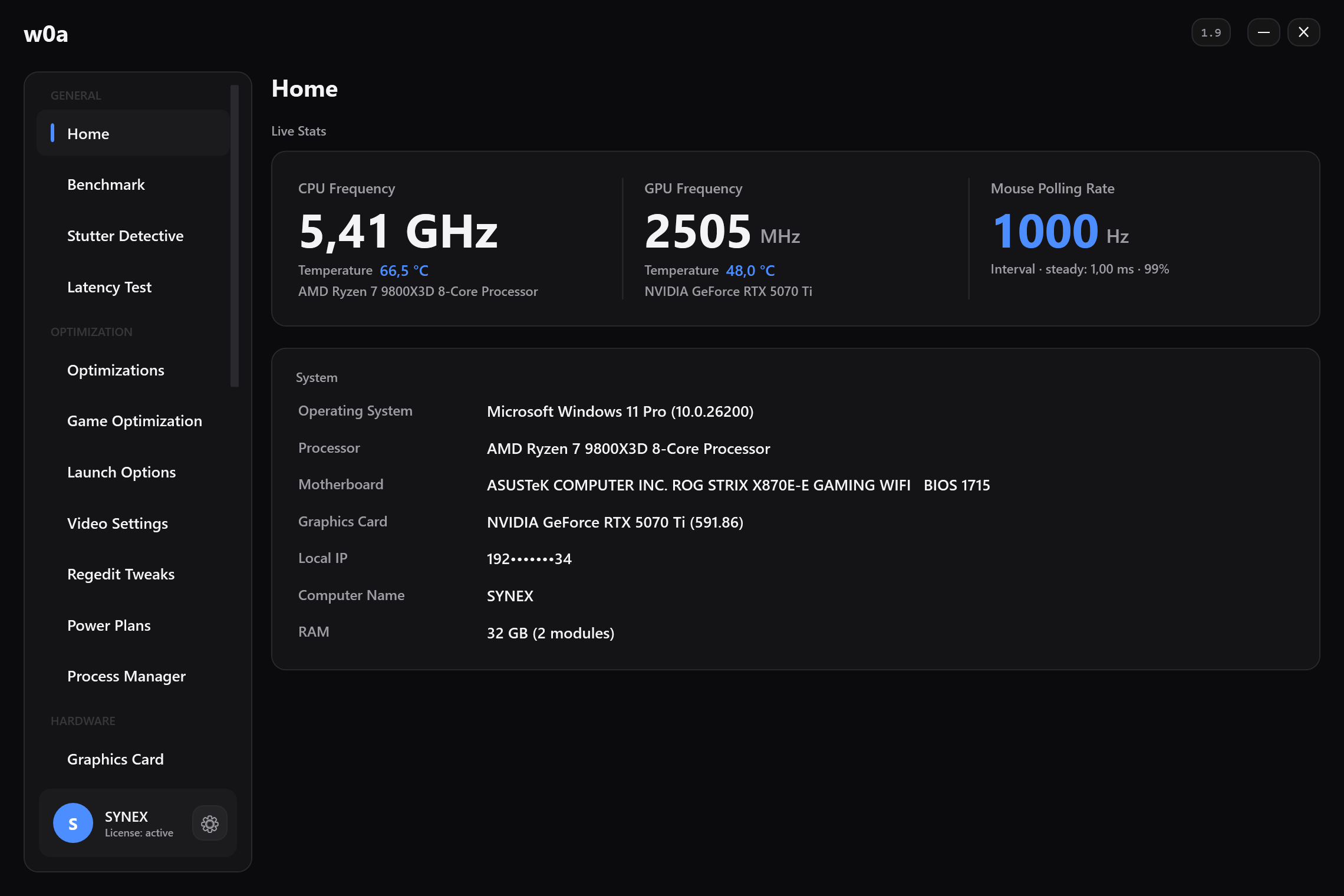
CPU Frequency 4.62 GHz Temperature 63.0 °C AMD Ryzen 7 9800X3D
GPU Frequency 2872 MHz Temperature 61.4 °C NVIDIA RTX 5070 Ti
Mouse Polling Rate 1000 Hz Interval · steady: 1.01 ms · 97% 2 mice · 2 keyboards
System
Operating SystemWindows 11 Pro (10.0.26200)
ProcessorAMD Ryzen 7 9800X3D 8-Core
MotherboardASUSTeK ROG STRIX X870E-E · BIOS 1715
Graphics CardNVIDIA RTX 5070 Ti (591.86)
Local IP192.0.2.34
Computer NameSYNEX
RAM32 GB (2 modules)

↑ Browse every page, try the themes. This panel is a picture of the interface, not the application: the readings and the badges are illustrative, not live data.

No driver of its own
80+ reversible tweaks
One-click revert on every registry and power-plan change
No injection, no memory reads
CAPABILITIES

Everything you need for performance

We gathered dozens of overlooked optimizations in one place. You just apply them.
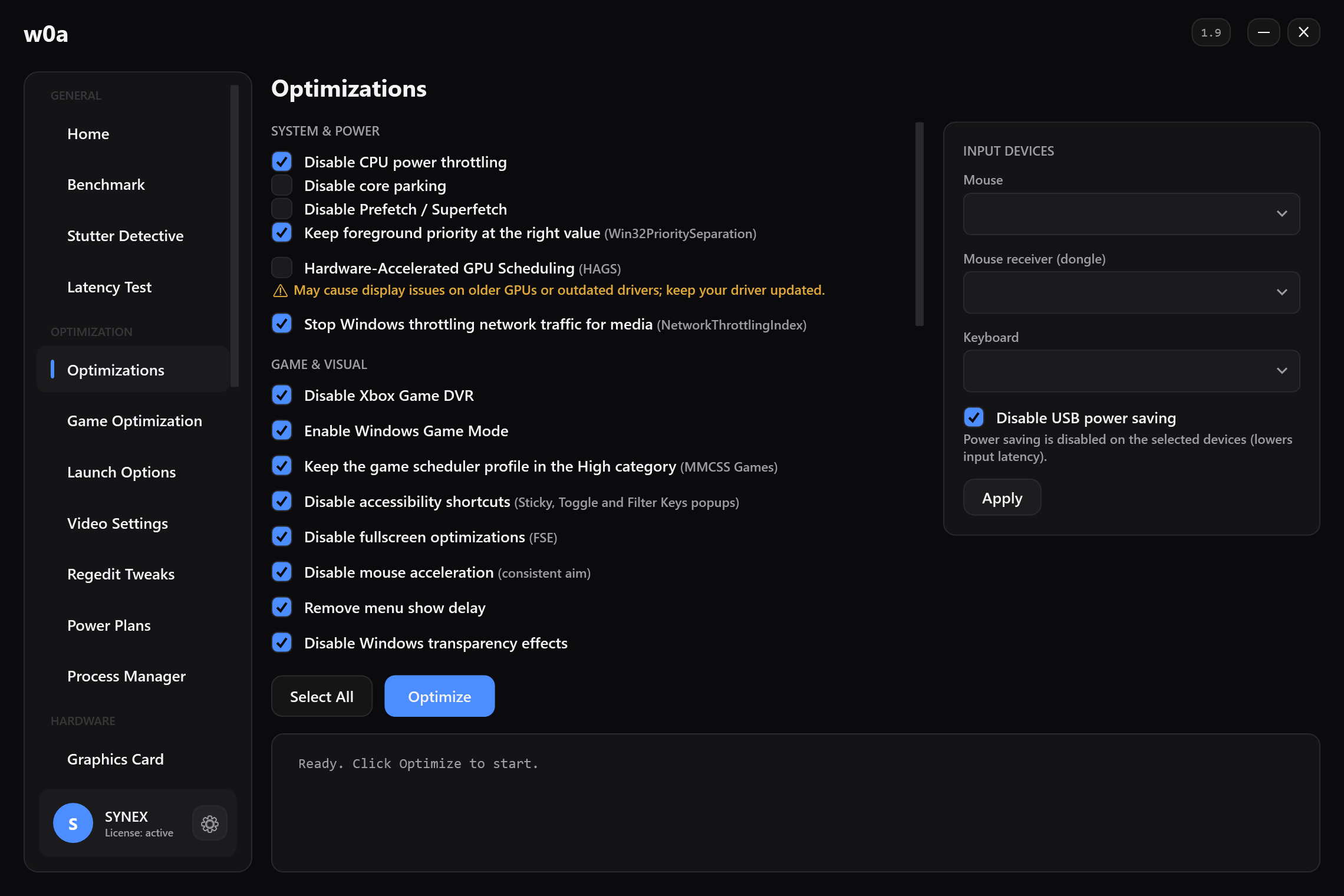
The Optimizations page: CPU power throttling, core parking, Game DVR, fullscreen optimizations, mouse acceleration and the rest, each with its own tick box.

FPS Boost

Tangible frame gains through CPU prioritization, GPU scheduling, power plan and memory optimizations.

Low Input Lag

Kill mouse acceleration, enable high-precision timers and hardware latency tuning. Every click, instant.

Mouse acceloff

No Code Injected Into Games

It injects no code into game processes and reads none of their memory. What it changes on your system are Windows settings and standard driver calls; the only game files it writes are the CS2 config and Steam launch options you ask for on the Launch Options page, and it backs those up first.

One-Click Revert

Every registry and power-plan change is backed up. Don't like it? Restore instantly.

Network & Ping Tuning

Turn off delayed ACKs, lift network throttling and mark game traffic for priority — a steadier, lower ping. How much it helps depends on your connection and your route to the server.

Apply all 80+ tweaks in one click Just $2.99/mo · one-click revert
THREE STEPS

Ready in minutes

No wrestling with complex settings. Open, apply, play.

1

Activate

Get your subscription and unlock the app with the licence key sent to your email.

2

Optimize

Pick the tweaks you want or apply all in one click. Before the first change of each session, w0a offers to create a system restore point.

3

Win

Higher FPS, smoother gameplay. Don't like something? Revert in one click.

The Home page: live clocks and temperatures for CPU and GPU, the mouse polling rate as measured from real movement, and what the machine is.
Start now for $2.99 Your key arrives instantly by email
THE DIFFERENCE

Why w0a?

You could get there by hand — if you're willing to risk hours and your system.

DOING IT BY HAND

  • Scattered forums and outdated guides
  • Risky manual registry edits
  • No idea what actually broke
  • Hours of trial and error

WITH W0A

  • 80+ current tweaks in one panel
  • One click — every registry and power-plan change backed up
  • Every registry and power-plan change logged and reversible
  • Ready in minutes
Take the easy path With savings up to 33%
HONESTY

Not magic. Engineering.

w0a makes no empty "10x FPS" promises. It runs no code of its own at kernel level. What it changes are standard Windows settings — documented, backed up, reversible — plus the CS2 config and launch options you ask for, which are backed up before they are written.

Before the first change of each session, w0a offers to create a system restore point — you decide whether it is made.

No kernel code of its ownNo driver of its own, no injection into games. An optional signed PawnIO driver for temperature and RAM readings installs only with your approval.
Tweaks are reversibleUndo every registry and power-plan tweak with a single click. Graphics-card clock, voltage and fan settings are kept as profiles you reset separately — and an auto-tune run that sees a driver reset reverts itself. Deletions — uninstalling apps, clearing logs — are permanent, and the app says so before it deletes anything.
Restore point offeredOffered once per session, before the first change.
TransparentYou see exactly what each setting does.
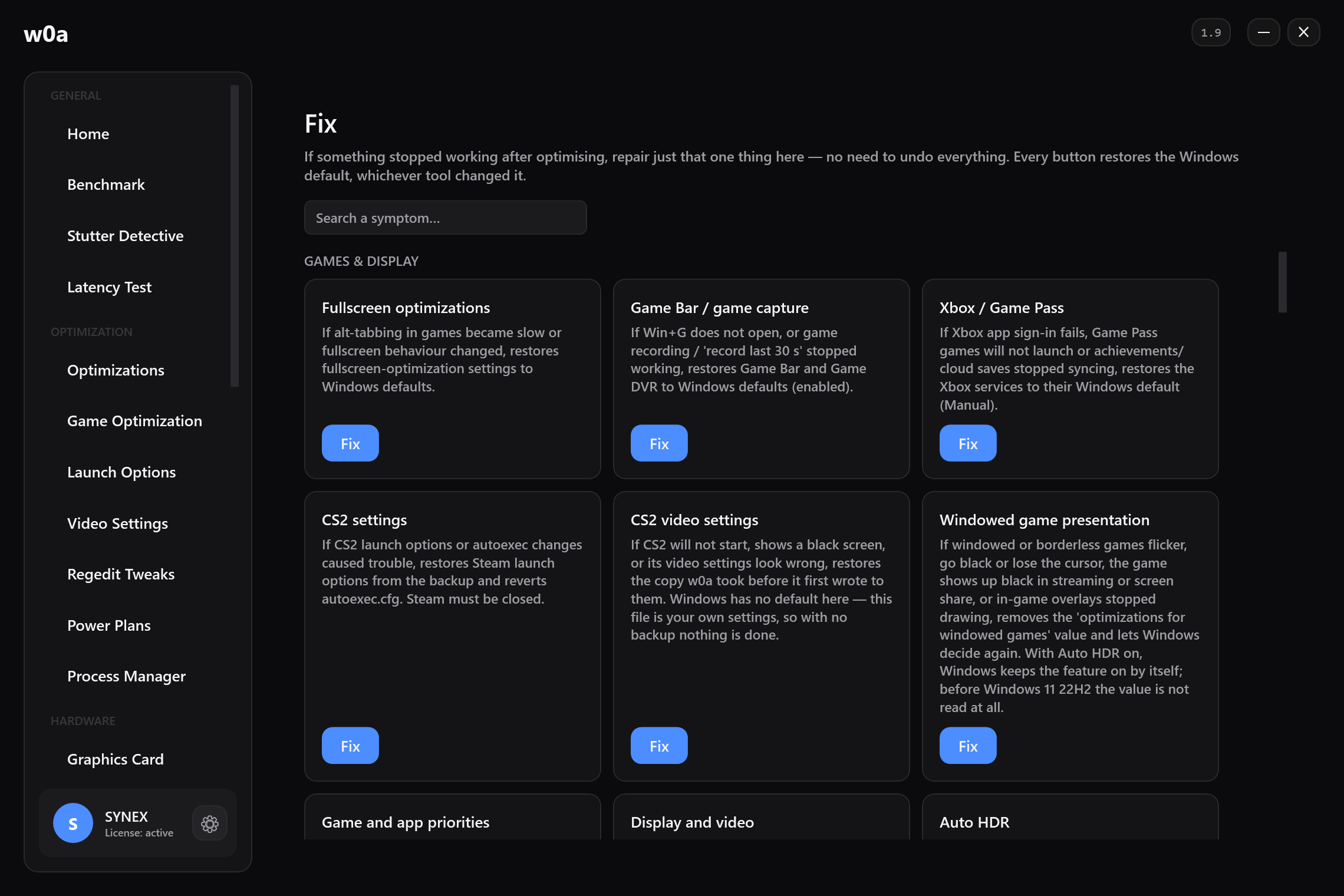
The Fix page: one repair card per thing that can be changed, each restoring the Windows default.
See the plans Every registry and power-plan change reverts in one click
PRICING

Choose your plan

Try monthly, or save long-term. All payments are processed through a secure payment provider.

Free

$0/forever
No card required
Everything below, with no time limit
  • Hardware & sensor monitoring
  • Repair page & one-click revert of everything
  • DNS & ping tools
  • Launch options & CS2 config
  • Every tool: startup, uninstall, drivers, logs, backups
  • FPS benchmark
Current Plan

Monthly

$2.99/mo
Perfect to try it out
About 10¢ a day
  • Everything in the free tier
  • 80+ safe optimizations
  • Game optimization (CS2 profile)
  • Regedit tweak set
  • Process manager & background engines
  • Network priority (QoS) & adapter tuning
  • All updates included
Get Monthly
RECOMMENDED

Quarterly

$7.49/3mo
≈ $2.50 / mo
SAVE 17%
$1.48 less than monthly
  • Everything in Monthly
  • 3 months uninterrupted
  • All updates included
  • Price locked for the term
  • Cancel renewal anytime
  • Save 17%
Get Quarterly

Biannually

$11.99/6mo
≈ $2.00 / mo
SAVE 33%
$5.95 less than monthly
  • Everything in Quarterly
  • 6 months uninterrupted
  • Priority support
  • Price locked for the term
  • Lowest monthly of the term plans
  • Save 33%
Get Biannually
BEST VALUE

Lifetime

$35/once
Pay once, use forever
UNLIMITED
Pays for itself in 12 months
  • Unlimited access
  • All future updates
  • Priority support
  • Never pay again
  • One device, lifetime licence
  • Keeps working offline
Get Lifetime
One-click revert Secure checkout Key emailed to you instantly Full refund if your key doesn't work

Taxes, if any, are shown at checkout. Every paid plan has the full 80+ optimizations — only duration and perks differ. Term plans renew automatically; turn renewal off any time and it runs to your period's end. The lifetime plan is one-time. Your withdrawal right ends only once you consent at checkout to immediate delivery and accept that you lose it. From the age of 16; under 18 needs a guardian's consent and purchase: Refund Policy · Terms of Service.

DOWNLOAD

Download w0a

Download and run it right away — it opens without a key. Monitoring, the FPS benchmark, the DNS and ping tests, driver and system updates, and every tool — startup manager, uninstaller, log cleaning, backups, repair — work in the free version. A plan unlocks the pages that change your system: tweaks, network priority, game optimisation, the process manager, power plans, graphics card tuning, RAM timings, the stutter analysis, USB ports and the latency tools.

v1.9 · WINDOWS 10 / 11 · 64-BIT · REQUIRES ADMIN
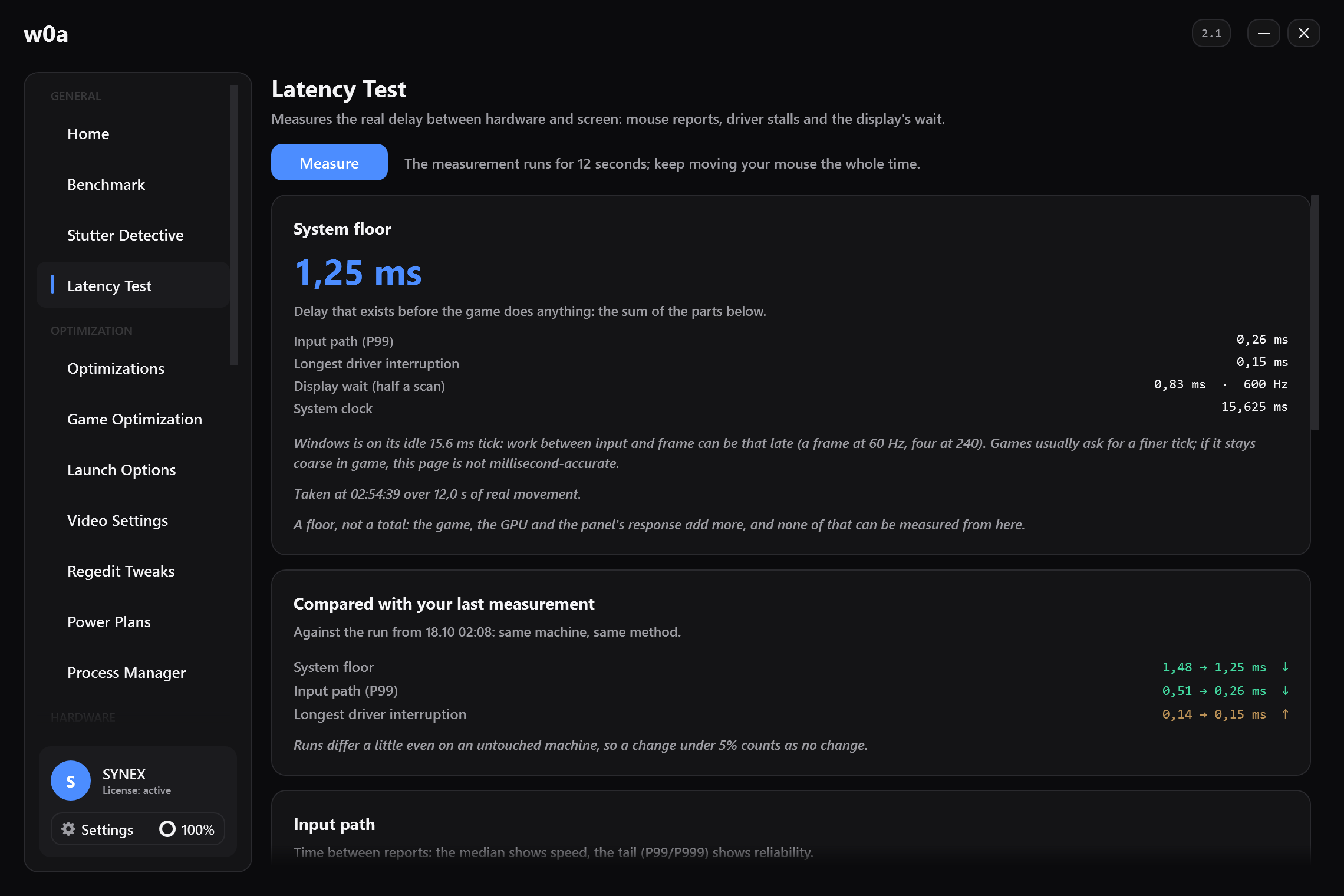
The Benchmark page: average FPS, 1% low and stutters per minute, each shown as a before/after pair.

Only Windows 10 and 11 (64-bit) are supported; it will not run on older Windows versions. No installer — download, right-click "Run as administrator", enter your key. Download only from this site and compare the SHA-256 digest below; if Windows SmartScreen appears on first run and you downloaded from here: "More info" → "Run anyway". You must be at least 16 years old to use w0a; if you are under 18, only with your parent's or guardian's consent.

FAQ

Frequently asked questions

Is it w0a or woa? Which spelling is right?
The name is w0a with a zero, not the letter o. It is pronounced the same as "woa", and people write it both ways — w0a, woa, w0a app, w0a fps. They all mean this application. The site lives at w0a.app; w0a.org and w0a.io are ours too and simply redirect here.
Is this safe? Will I get banned?
w0a injects no code into game processes and reads none of their memory — none of the behaviour anti-cheat systems look for. The changes it makes to your system are standard Windows settings, registry values and ordinary graphics-driver calls. The only game files it writes are the CS2 config and the Steam launch options you ask for on the Launch Options page, and it backs both up before writing. Every registry and power-plan change is recorded and reverts in one click; graphics-card clock, voltage and fan settings are stored as profiles you reset separately. It has no driver of its own; only to read CPU temperature and RAM timings, and only if you choose to and approve it, the signed PawnIO driver may be installed — and it only reads. Even so, we cannot make promises on behalf of any anti-cheat vendor.
Can I undo the changes?
Yes. w0a records every registry and power-plan change and lets you revert with one click. Before the first change of each session it also offers to create a system restore point.
How much FPS will I gain?
It depends on your current system configuration. On an already-optimized system the gain may be small; on unoptimized systems it can make a visible difference. w0a makes no magic promises — just honest, reversible improvements.
How do I receive my licence key?
Once payment is complete, your licence key is automatically sent to your email. Open the app and activate it with that key.
Can I try Pro for free?
Yes — 1 day of Pro for joining our Discord. Join the server and type /trial there: the bot answers you alone with a one-time claim code. Paste that code into the app's Settings page and Pro unlocks on that device immediately. The trial is granted once per Discord account and once per device, and accounts younger than 7 days are not eligible.
What exactly does the Lifetime plan mean?
You pay once; no subscription, no renewal, and your licence never expires. "Lifetime" means the life of the software — not a guarantee that the service runs forever. Even if development one day ends, an activated lifetime installation is designed to keep working offline through the signed entitlement record stored on your device. Details in the Terms of Service.
Can I use one key on multiple computers?
Licence keys are personal and bind to the hardware of the device they're activated on. Moving is in your hands: on the bound device, open Settings → License and press "Unbind This Device" — the key can then be activated on the new machine. Until you release the binding, a second device is refused. The limit is 2 releases in any 30 days; past it, the app tells you when you can try again. If the old device no longer starts, contact support and we move the key for you.
Does formatting or reinstalling Windows break my key?
No. The fingerprint the key binds to is derived from the hardware itself — not from Windows — so after a format or reinstall the key re-activates on the same machine by itself. Only on a machine whose firmware carries no usable identity (some virtual machines) does a reinstall change the fingerprint.
Can I get a refund?
Because digital content is delivered instantly, the right of withdrawal ends only once you have given express consent at checkout to delivery starting immediately and acknowledged that you thereby lose it. Even so, if the software does not work as described, write to us — full terms are on the Refund Policy page.
What data do you collect?
What the app sends for licence validation: your licence key, a hardware ID derived from your device, a hardware summary stored once at first activation (Windows version, architecture, computer name, PC manufacturer and model, processor, logical core count, graphics card, motherboard, BIOS, RAM total and modules, screen resolution, uptime and local network IP), and the version and time of the agreement you accepted. Our server itself records your connecting IP address, the country derived from it and a last-seen time, and it receives your email address from the payment provider so your key can be sent. Your personal files, games and browsing history are never collected. Every field and its retention period is listed on the Privacy Policy page.
Windows says it blocked an unrecognised app. Is something wrong?
That is SmartScreen, and it appears for every application whose publisher it has not seen often enough yet — it is a reputation counter, not a verdict about the file. If you downloaded from this site, click "More info" and then "Run anyway". Always compare the SHA-256 digest shown in the download section before running it.
My antivirus flagged it. Why?
Tuning software does the same things some unwanted software does: it runs as administrator, writes registry values and adjusts services. That pattern alone is enough for a heuristic warning, and a signing certificate this new carries no reputation yet, so a fresh release gives a scanner little history to weigh. Every version is signed and scanned before release and false positives are reported to the vendors. If you would rather not add an exception, simply do not run it — and please tell us which product flagged it, on Discord or through the report form if it is shown below.
Does it work on a debloated or custom Windows build?
Usually yes, but with fewer readings. Stripped builds often remove or disable WMI, the Event Log and System Restore, and w0a uses all three: without them some hardware readings show a dash, the stutter scan reports that it cannot read the event log, and restore points cannot be created. w0a is built to say so rather than to pretend everything is fine. If a tweak's service was deleted from the image, the tweak reports that instead of recreating it.
What are the system requirements?
Windows 10 version 1607 (build 14393) or newer, 64-bit, and administrator rights. Windows 11 is fully supported. ARM devices (Snapdragon laptops) are not supported: the parts that read sensors and tune the graphics card have no ARM equivalent, so the app tells you and closes instead of half-working. There is no installer, but deleting the exe is not a complete uninstall. Revert from within the app first, then remove by hand what stays behind: %AppData%\w0a (settings, logs, benchmark results), %ProgramData%\w0a (the revert log), and — only if you switched "Start with Windows" on — the scheduled task together with the copy of the exe the app places in %LocalAppData%\Programs\w0a so that the logon task has a fixed target. The optional PawnIO driver, if you installed it, is removed separately.

Your system's ready. Are you?

Start from just $2.99/month. Try the free tier first: run the app and see the interface without paying anything.

Get Started Now